Professional MacBook Air data recovery for failed SSDs, non-booting systems, accidental deletions, liquid damage, and logic board–related storage issues. We provide expert in-store service in Miami and secure nationwide mail-in data recovery performed in a controlled lab environment.
MacBook Air systems are designed with ultra-thin architectures that tightly integrate storage, memory, and system components. Depending on the model year, your MacBook Air may use soldered SSD storage, a T2 Security Chip, or Apple Silicon–based storage integrated directly into the logic board. Each case is evaluated individually to determine the safest and most effective recovery approach for your specific MacBook Air.
Our technicians handle both logical and physical data loss scenarios, including APFS file system corruption, encryption-related failures, and component-level storage issues that cannot be resolved through software-only recovery tools.
When You Need MacBook Air Data Recovery
You may need professional MacBook Air data recovery if your device shows one or more of the following symptoms:
- MacBook Air will not boot or is stuck on the Apple logo
- Folder with a question mark appears at startup
- Internal SSD or storage is not detected
- Files disappeared after a macOS update or system upgrade
- APFS file system errors or corrupted containers
- Disk Utility reports volume or partition errors
- Accidental formatting or erased storage
- Unexpected kernel panics or system freezes
- Liquid damage from water, coffee, or other spills
- Overheating or thermal-related logic board issues
- Physical or electrical damage affecting internal storage
- Data loss after power failure or improper shutdown
- Recovery after Time Machine failures
- Data loss due to failed macOS update transition
If you are unsure whether your MacBook Air data is recoverable, a professional diagnostic evaluation is the safest first step before attempting any recovery on your own.
What Data We Commonly Recover from MacBook Air Systems
Our technicians recover a wide range of personal and professional data from MacBook Air systems, including:
- Photos and videos
- Documents, spreadsheets, and presentations
- Creative project files (Adobe, Final Cut Pro, Logic Pro, etc.)
- Emails and local mail archives
- Desktop, Downloads, and user folder data
- iCloud-synced data stored locally
- External drives and Time Machine backups (when applicable)
Each recovery case is handled individually to preserve file structure, integrity, and data privacy.
Why MacBook Air Data Recovery Is Complex
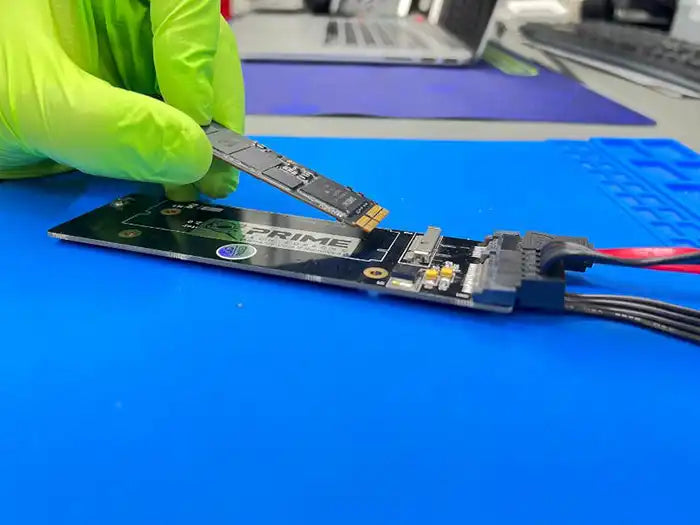
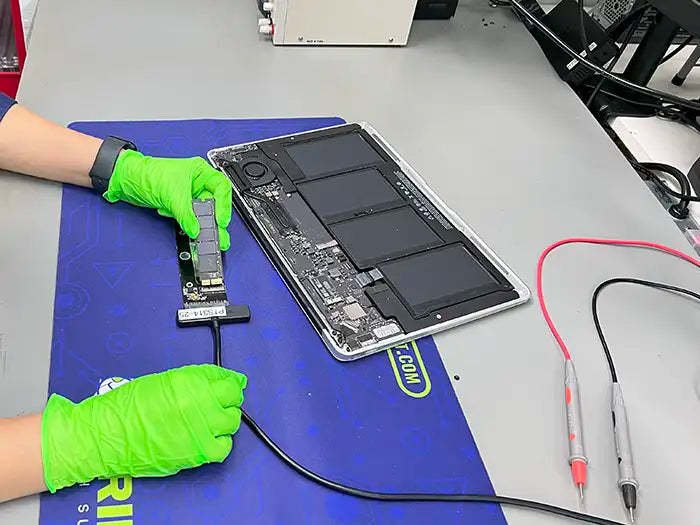
MacBook Air systems are built with ultra-thin, highly integrated designs that make data recovery significantly more complex than traditional laptops. While earlier MacBook Air models (up to 2017) used a removable, proprietary SSD, Apple transitioned starting in 2018 to NVMe-based flash storage soldered directly to the logic board, eliminating the ability to remove the drive for external recovery.
Depending on the model year, your MacBook Air may use a removable proprietary SSD (2017 and earlier), soldered NVMe storage (2018–2020 Intel models), or Apple Silicon–based storage that is encrypted and fully integrated into the logic board. Many Intel-based models also include the T2 Security Chip, which ties encryption directly to the hardware.
These architectures prevent direct access using consumer recovery tools and require specialized equipment, controlled lab environments, and advanced diagnostic techniques to safely attempt recovery. Storage failures, logic board issues, and encryption-related problems must be handled carefully to avoid permanent data loss.
Because of these design constraints, DIY recovery attempts or unverified software tools can permanently reduce or eliminate recovery chances. A professional diagnostic evaluation is strongly recommended before attempting any data recovery on a MacBook Air.
MacBook Air Diagnostic Evaluation & Recovery Transparency
Because every MacBook Air data loss case is different, a professional diagnostic evaluation is required before any recovery work begins. This evaluation allows our technicians to determine recovery feasibility, identify the safest recovery approach, and explain realistic expectations for your specific device.
After the diagnostic is complete, you receive a clear explanation of your recovery options and an upfront quote. No recovery work is performed without your approval, and the diagnostic evaluation is applied toward the final service when you proceed.
This diagnostic-first approach ensures accuracy, transparency, and the highest possible chance of successful recovery.
Unsure how to safely ship? We provide guidance on secure packaging and the best carrier practices.