MacBook Pro Screen Repairs & Replacement

Location
  • Same Day Repairs
  • 30/90 Days warranty
  • Enviromentally Friendly
  • Secure payments
  • Highly rated on Google
This price is for the diagnostic only (non-refundable), and It will be applied to the final cost of the service.
Price
Regular price $8000
Regular price Sale price $8000
Save $-80
/

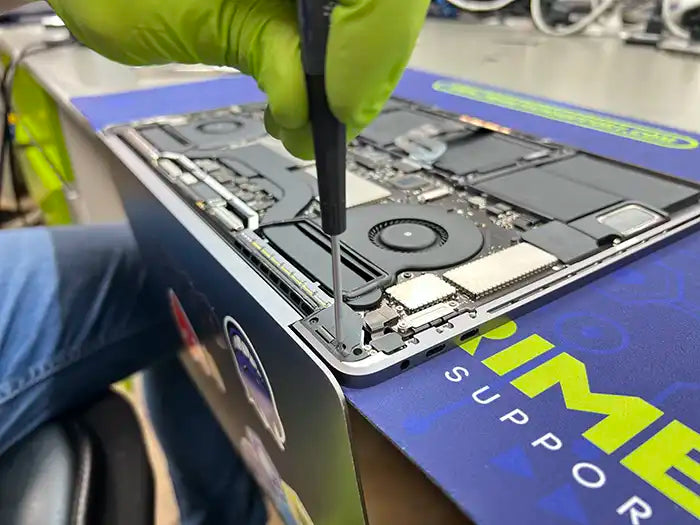
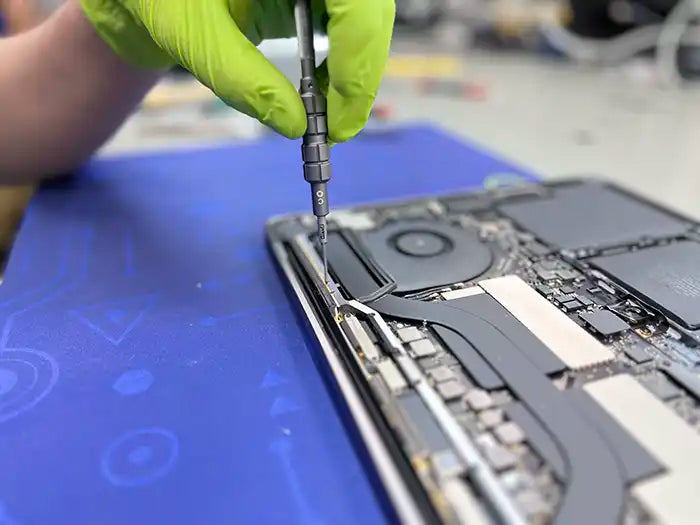
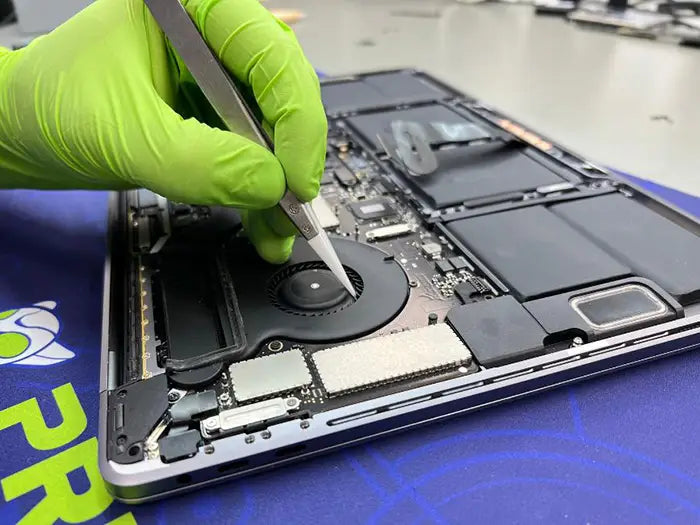
Professional MacBook Pro screen repair and replacement services performed by experienced Apple repair technicians. We service cracked screens, display issues, backlight failures, and Flexgate-related problems. Available for customers in Miami and through our nationwide mail-in repair service.

View all MacBook Pro repair services | Explore all Mac repair services

Not sure what’s causing the issue? Learn about common MacBook Pro screen problems and symptoms in our repair guides below.

Common MacBook Pro Screen Issues We Fix

  • Cracked or physically damaged screens
  • Black screen or no display
  • Flickering or unstable image
  • Vertical or horizontal lines
  • Backlight or brightness issues
  • Flexgate-related display failure

If you are experiencing performance slowdowns or display-related freezes, you may want to review our MacBook Pro troubleshooting guide to better understand the symptoms before repair.

Why Professional MacBook Pro Screen Repair Matters

MacBook Pro displays are precision-engineered components that integrate the screen, backlight, and control circuitry. Attempting DIY screen repairs often leads to additional internal damage, misalignment, or cable failure.

Our technicians use professional tools and proper diagnostic procedures to identify whether a full screen replacement is required or if the issue is related to internal components such as the display cable or logic board.

Learn more about known MacBook Pro display issues such as Flexgate in our article: Understanding and Fixing the MacBook Pro Flexgate Issue .

Our MacBook Pro Screen Repair Process

  1. Device intake and professional diagnostic evaluation
  2. Detailed assessment of screen and display components
  3. Repair or replacement using compatible, high-quality parts
  4. Quality assurance testing to verify display performance
  5. Safe return, pickup, or shipment of your repaired device

To understand why diagnostics are critical before any MacBook Pro repair, read our guide on the importance of proper MacBook Pro diagnostics .

Why Choose Prime Tech Support for MacBook Pro Screen Repair

  • Experienced technicians specializing in MacBook Pro repairs
  • Component-level diagnostics and repair capabilities
  • Support for Intel and Apple Silicon MacBook Pro models
  • Transparent repair process with quality assurance checks
  • Local Miami repair lab and nationwide mail-in service

MacBook Pro Repair Guides & Resources

Visit our Prime Tech Support Blog for more Mac repair guides and technical insights.

Schedule Your MacBook Pro Screen Repair

If your MacBook Pro screen is damaged or not functioning correctly, our team is ready to help.

Schedule a diagnostic or request service today

MacBook Pro Screen Repairs & Replacement FAQs

Why Do I Pay for Diagnostic?

The diagnostic is so that when we look at your unit. We can provide you a comprehensive summary of the primary and secondary issues or suggestions that may pop up during the diagnosis.

How long does the diagnostic take?

We have an estimated time from 1 to 4 hours deppending on the issue. Once we receive the unit it will go into our Diagnostic Queue and it will be diagnose in the order it was received. If you would like a RUSH service so we can diagnose the unit while you wait do not forget to select the option when checking out.

Can a MacBook Pro screen be repaired, or does it need to be replaced entirely?

In some cases, a MacBook Pro screen can be repaired, but in many cases, it may be necessary to replace the entire screen. The best course of action depends on the nature and extent of the damage.

How much does it cost to repair or replace a MacBook Pro screen?

The cost of repairing or replacing a MacBook Air computer screen can vary depending on the model and year of the Macbook Air, as well as the extent of the damage. To know the cost of the repair, a technician needs to run a diagnostic on the device to give you the precise cost of replacement parts and labor.

What is the repair process for a MacBook Pro screen?

The repair process for a MacBook Pro screen typically involves disassembling the computer, removing the damaged screen, and replacing it with a new one. The repair technician will also test the new screen to ensure that it is functioning properly.

Can all types of MacBook Pro screens be repaired or replaced?

Most types of MacBook Pro screens can be repaired or replaced, but the cost and availability of replacement parts may vary depending on the model and year of the computer.

How long does it take to repair or replace a MacBook Pro screen?

The time it takes to repair or replace a MacBook Pro screen can vary depending on the extent of the damage and the availability of replacement parts. On average, you can expect the repair or replacement process to take between 2 and 5 days.

What is my warranty?

Software warranty is 30 days and Hardware warranty is 90 days from pick up/delivery.

Our MacBook Pro Screen Repairs & Replacement Process

Number one of prime tech support repair process where the customer book the desired repair service from our website, the prime team generates them a ticket to process their request, and subsequently diagnose and gives a quote to the customer.

Diagnostic & Quote

The first step of the process is crucial. We accurately diagnose the issue in your device and provide a quote.

Number two of the prime tech support repair process the prime team proceeds to fix and repair every single issue found on the diagnosis so the customer can get back to using his device in no time.

Repair

We fix and repair every single issue found in the diagnosis to get your device back in working order.

Number three of the prime tech support repair process, the prime team runs a quality assurance to make sure your computer is in prime working condition after the repair process. Once this has been done, the computer device is ready to be picked up.

QA & Pick up

With our Quality Assurance, we make sure your service is done right the first time.

Recently viewed